
Guide · iPhone, iPad, Mac & Android
How to make a guest list from your phone contacts
Short answer
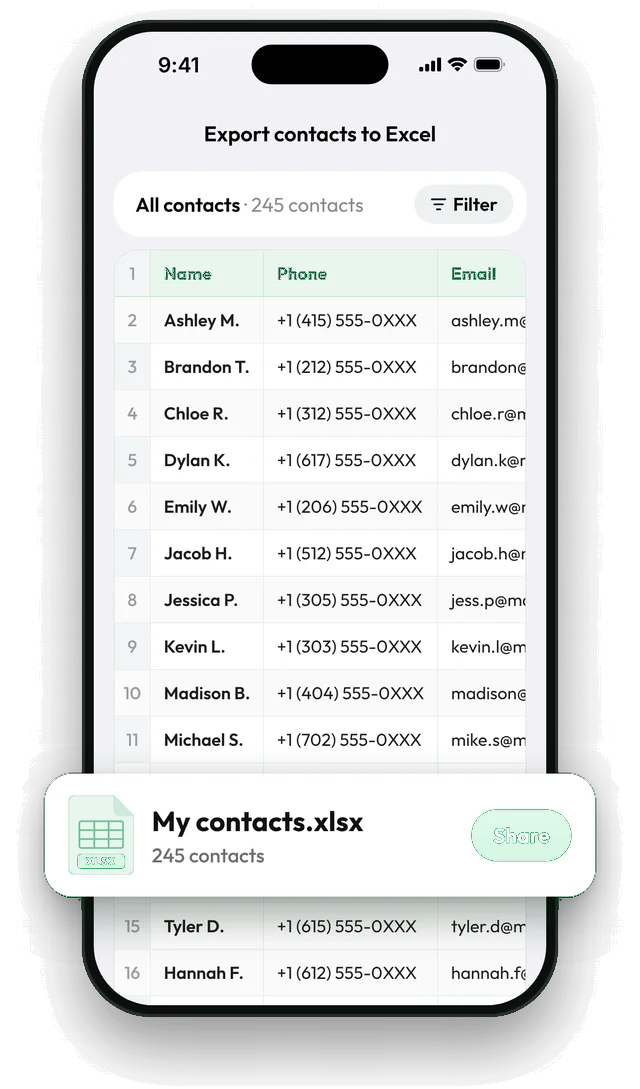
Put the guests in one group on your phone, then in Contaxo tap Excel, keep the name, phone, email and address columns and filter to that group. Tap Export and open the .xlsx in Excel or Google Sheets, where you add columns such as RSVP, Guests, Table and Gift. You never have to type a number or address by hand.


Build the list with Contaxo
Gather the guests in one group
On iPhone, open Contacts › Lists › Add List, name it (for example Wedding) and add the guests.
Open Excel in Contaxo
Tap Excel. Keep name, phone, email and address; remove what you don't need.
Filter to the group
Use the filter to pick your guest group. The preview shows exactly who is in the file.
Export and add your columns
Tap Export, open the file in Excel or Google Sheets, and add columns for RSVP, number of guests, table and notes.
A simple guest list layout
| Name | Phone | Address | RSVP | Guests | Table | Notes | |
|---|---|---|---|---|---|---|---|
| Ashley M. | +1 415 555 0100 | ashley@example.com | 12 Pine St | Yes | 2 | 4 | Vegetarian |
The first four columns come from your phone; you add the rest in Excel or Google Sheets.
Tips
- Find missing details early. Sort by the address column to see who has none, and ask them before invitations go out.
- Keep one master file and filter it (for example RSVP = Yes) instead of making copies.
- Print the final list for the venue with Excel’s print or by exporting a PDF from Contaxo with only the columns the venue needs.
Without an app
The Contacts app on iPhone and Android can’t export a spreadsheet. On a computer you can export your Google contacts from contacts.google.com as Google CSV and delete the columns you don’t need; see How to export Google Contacts to Excel.
Frequently asked questions
Can several people work on the list?
Yes. Upload the .xlsx to Google Sheets or OneDrive and share it with your partner or planner.
Can I print address labels or envelopes from it?
Yes. Use the Excel file as the source for a mail merge in Word or Google Docs to print labels and envelopes. Contacts without an address show an empty cell, so you can see who to ask.
Some guests have two phone numbers
Each guest stays on one row with all of their numbers and emails.
How do I send the invitation to everyone?
Use the email column in your email app or a mailing tool. For messages, see How to share multiple contacts at once to set up a group.
Is it free?
Yes for up to 100 guests. Pro exports longer lists.
Related
- Export formatHow to export your contacts to ExcelTurn your iPhone, iPad or Android contacts into a real Excel (.xlsx) spreadsheet in a few taps, with a preview, column picker and filters. No computer needed.
- GuideHow to make a printed phone book for an elderly parentTurn the contacts on your phone into a clear, large-print phone list for a parent or grandparent: only the people who matter, only name and number, ready to print or edit.
- GuideHow to share a contact list with a team, club or classGive everyone in a team, club, class or building the same contact list: one vCard file they add in one tap, or a printable PDF or Excel list. Works from iPhone and Android.
- Export formatHow to export your contacts to WordTurn your phone contacts into an editable Word (.docx) table for a phone list, directory or handout. Preview every page, choose columns and filter.
Your contacts, in any file you need.
Free to download for iPhone, iPad, Mac and Android. No account, and we never see your contacts.