
Export format · iPhone, iPad, Mac & Android
How to export and print your contacts as a PDF
Short answer
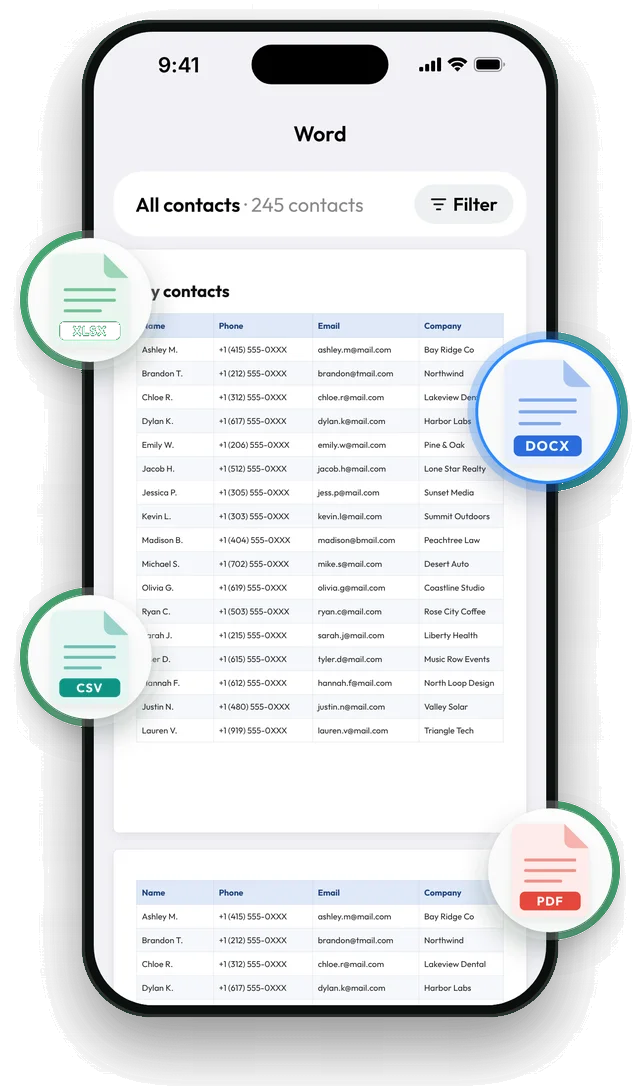
Phones have no built-in way to print the whole address book. In Contaxo, tap PDF to see every page of your contact list as a table, choose which columns to include, then tap Export to print it, save it or send it.


Step by step with Contaxo
Tap PDF
On the Home tab of Contaxo, tap PDF. You see every page of the document before anything is saved. Tap a page to zoom in.
Keep the columns you need
Tap the columns button and keep only what belongs on paper, for example name, phone and email. Fewer columns make the text larger.
Choose who is on the list
Use the filter to print one group, such as family or a team, or only the people who have a phone number.
Export, then print or share
Tap Export. From the share menu, tap Print to send it to a printer, or save the PDF to Files or Google Drive.
Good uses for a PDF contact list
- A printed phone book for a parent or grandparent who prefers paper.
- An emergency list to keep in a bag, a car or at home.
- A team, club or class list to hand out.
- A dated record of your contacts to keep with other documents.
The built-in way (without an app)
- iCloud.com on a computer: open Contacts, select the contacts you want and choose Print Contacts from the menu.
- Mac: in the Contacts app, select contacts, choose File › Print and pick the Lists style.
- Android: the Contacts app has no print option. Export a .vcf file and print from a computer.
If you want to change the list before printing, export it to Word and edit the table there.
Frequently asked questions
Can I print my contacts from an iPhone without a computer?
Yes. Contaxo makes the PDF on your iPhone, and you can print it from the share menu with AirPrint or save it and print it later.
What does the PDF look like?
A clean, easy-to-read table with a header row on every page. You see every page in the preview before you save it.
Can I make a large-print list for an older relative?
Yes. Keep only two or three columns, such as name and phone, so the list stays short and easy to read.
Is there a free way?
The free version exports up to 100 contacts. On a computer, iCloud.com can also print iCloud contacts, and the Contacts app on a Mac can print a list.
Related
- Export formatHow to export your contacts to WordTurn your phone contacts into an editable Word (.docx) table for a phone list, directory or handout. Preview every page, choose columns and filter.
- Export formatHow to export your contacts to ExcelTurn your iPhone, iPad or Android contacts into a real Excel (.xlsx) spreadsheet in a few taps, with a preview, column picker and filters. No computer needed.
- Export formatHow to export your contacts to a vCard (VCF) fileSend many contacts at once as one vCard (.vcf) file by WhatsApp, Mail, Messages, AirDrop or Quick Share. The person who gets it adds everyone in one tap.
Your contacts, in any file you need.
Free to download for iPhone, iPad, Mac and Android. No account, and we never see your contacts.