
Feature · iPhone, iPad, Mac & Android
How to find and merge duplicate contacts
Short answer
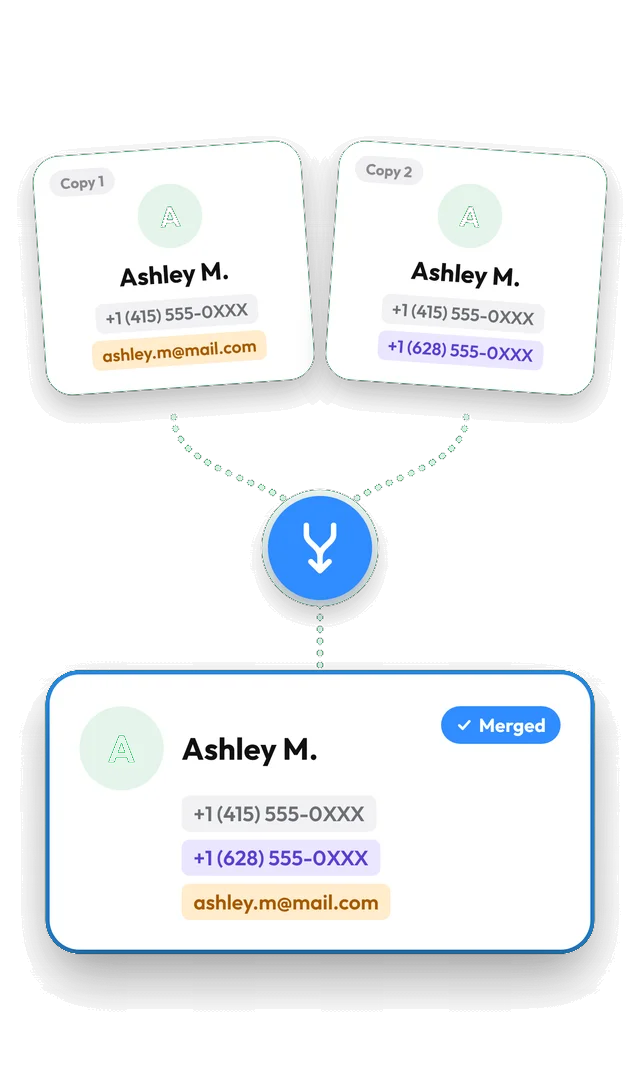
Open Contaxo and tap Duplicates. It groups contacts that share a name, phone number or email. Delete the extra copies for free, or merge each group into one contact that keeps every number, email and address (Pro). A restore point is saved before every change, so you can undo it.


Step by step with Contaxo
Tap Duplicates
Contaxo scans your address book and shows each group of duplicates with the reason, such as "Same phone number". The first contact in a group is marked Original.
Set the matching rules
Tap Matching Rules to choose what counts as a duplicate (name, phone, email) and to leave out unnamed or company contacts.
Delete or merge
Delete selected copies, delete all extra copies, or tap Merge on a group (or Smart Merge All) to combine them into one contact.
Undo if needed
Tap Undo in the message right after the change. Later, restore the restore point from Backup Contacts.
The built-in way (without an app)
- iPhone and iPad (iOS 16 or later): when the Contacts app finds duplicates, a Duplicates Found card appears at the top of your contacts. Tap View Duplicates and merge them. You cannot choose the matching rules.
- Android: Google Contacts suggests duplicates under Fix & manage › Merge & fix. Samsung Contacts has Manage contacts › Merge contacts.
Contaxo adds your own matching rules, the choice between deleting and merging, and an undo with restore points.
Frequently asked questions
How does Contaxo decide two contacts are duplicates?
You choose the rules. Contacts are grouped when they share a name, a phone number or an email, whichever rules you turned on. The same number written in a different format still counts as a match.
What does merge keep?
You end up with one contact that has every phone number, email and address from the copies, without repeats. Then the extra copies are removed.
Is anything lost when merging?
Some details on the extra copies, such as notes, are not carried over. Before every merge Contaxo saves a restore point, so you can bring the original contacts back.
Why do I have so many duplicates?
The usual causes are the same contacts synced from two accounts (for example iCloud and Google), importing a backup twice, or a SIM card import. Restoring with Contaxo does not create duplicates because it adds only missing contacts.
Related
- FeatureHow to back up and restore your contactsBack up every contact on your iPhone, iPad or Android phone in one tap, get reminders when the backup is out of date, and restore only what is missing.
- FeatureHow to import contacts from Excel, CSV or vCardAdd contacts to your iPhone, iPad or Android phone from an Excel, CSV or vCard file. Columns are matched for you and you choose who to add.
Your contacts, in any file you need.
Free to download for iPhone, iPad, Mac and Android. No account, and we never see your contacts.