
Platform · Android
Contaxo for Android
Short answer
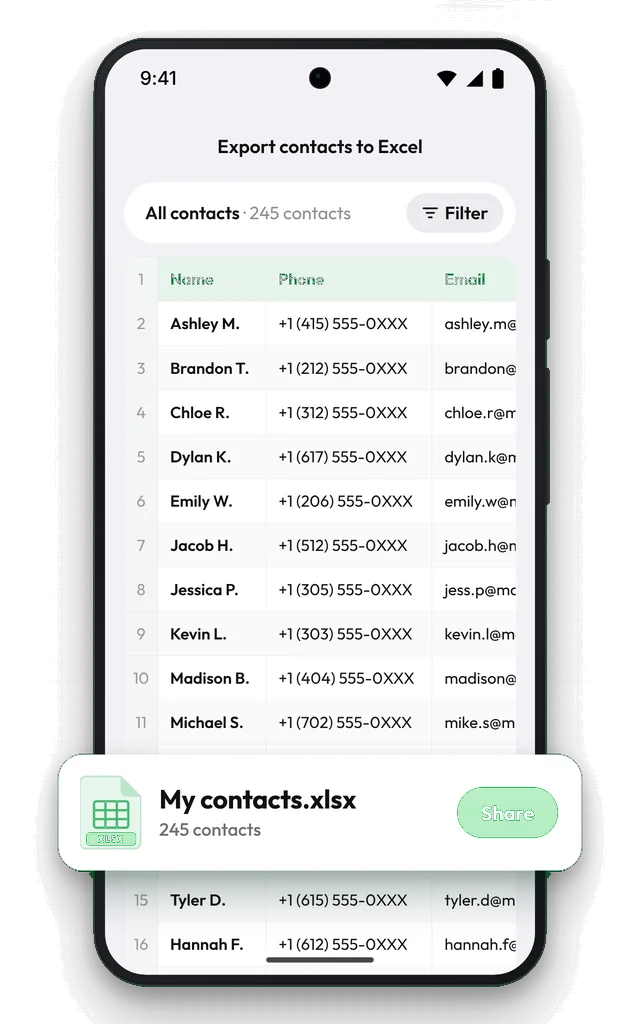
Contaxo is on Google Play for Android phones, tablets and foldables (Android 7.1 or later). It exports your contacts to Excel, PDF, CSV, Word and vCard, backs them up on your phone with a copy to Google Drive, imports contacts from Excel, CSV and vCard files, and merges duplicates. Your contacts are processed on your phone, and we never see them.

What Contaxo does on Android
- Export to Excel, PDF, CSV, Word and vCard, with a preview, a column picker and filters.
- Share many contacts as one vCard through WhatsApp, Messages, Gmail, Quick Share or any app, or save it to Files or Google Drive.
- Transfer to New Phone: move every contact to a new Android phone or iPhone with an end-to-end encrypted QR code transfer. How it works
- Back up and restore: one-tap vCard backups, a copy to Google Drive, reminders and a home-screen shortcut. Restores add only missing contacts. How backups work
- Import from Excel, CSV and vCard, or open a .vcf file with the app. Import contacts
- Duplicates: find by name, phone or email, delete or merge, undo with restore points. Merge duplicates
Phones, tablets and foldables
The layout adapts to every screen. On tablets and unfolded foldables a sidebar keeps every tool one tap away.
Frequently asked questions
Does Contaxo work with Samsung, Google and SIM contacts?
Contaxo reads every contact that your phone's Contacts app shows, whichever account it is saved in.
Where are backups saved on Android?
On your phone. Tap Share backup to keep a copy in Google Drive or Files, so it is ready when you switch phones.
Can I back up with one tap?
Yes. Add the Back Up Contacts shortcut to your home screen and tap it to back up without opening the app. You can also get a reminder every week, every two weeks or every month, or only when your contacts changed.
Can I open a .vcf file with Contaxo?
Yes. Open a .vcf file from your email or file manager and choose Contaxo to review and import the contacts.
Related
- Export formatHow to export your contacts to ExcelTurn your iPhone, iPad or Android contacts into a real Excel (.xlsx) spreadsheet in a few taps, with a preview, column picker and filters. No computer needed.
- FeatureHow to back up and restore your contactsBack up every contact on your iPhone, iPad or Android phone in one tap, get reminders when the backup is out of date, and restore only what is missing.
- FeatureHow to move your contacts to a new phoneMove every contact from your old phone to a new one with a QR code: iPhone to Android, Android to iPhone or same to same. End-to-end encrypted, no accounts, no duplicates.
- FeatureHow to find and merge duplicate contactsFind duplicate contacts by name, phone number or email, then delete the copies or merge them into one contact, with a restore point and undo.
- PlatformContaxo for iPhone, iPad and MacExport iPhone contacts to Excel, PDF, CSV, Word and vCard, back them up to iCloud Drive, move them to a new phone with a QR code, import from files and merge duplicates.
Your contacts, in any file you need.
Free to download for iPhone, iPad, Mac and Android. No account, and we never see your contacts.