
Platform · iPhone, iPad & Mac
Contaxo for iPhone, iPad and Mac
Short answer
Contaxo is on the App Store for iPhone and iPad (iOS 16 or later) and Mac (macOS 14 or later). It exports your contacts to Excel, PDF, CSV, Word and vCard, backs them up to your own iCloud Drive, imports contacts from Excel, CSV and vCard files, and merges duplicates. Your contacts are processed on your device.

What Contaxo does on iPhone and iPad
- Export to Excel, PDF, CSV, Word and vCard, with a live preview, a column picker and filters by group, phone, email or company.
- Share many contacts as one vCard through Messages, Mail, Gmail, AirDrop, WhatsApp or Files.
- Transfer to New Phone: move every contact to a new iPhone or Android phone with an end-to-end encrypted QR code transfer. How it works
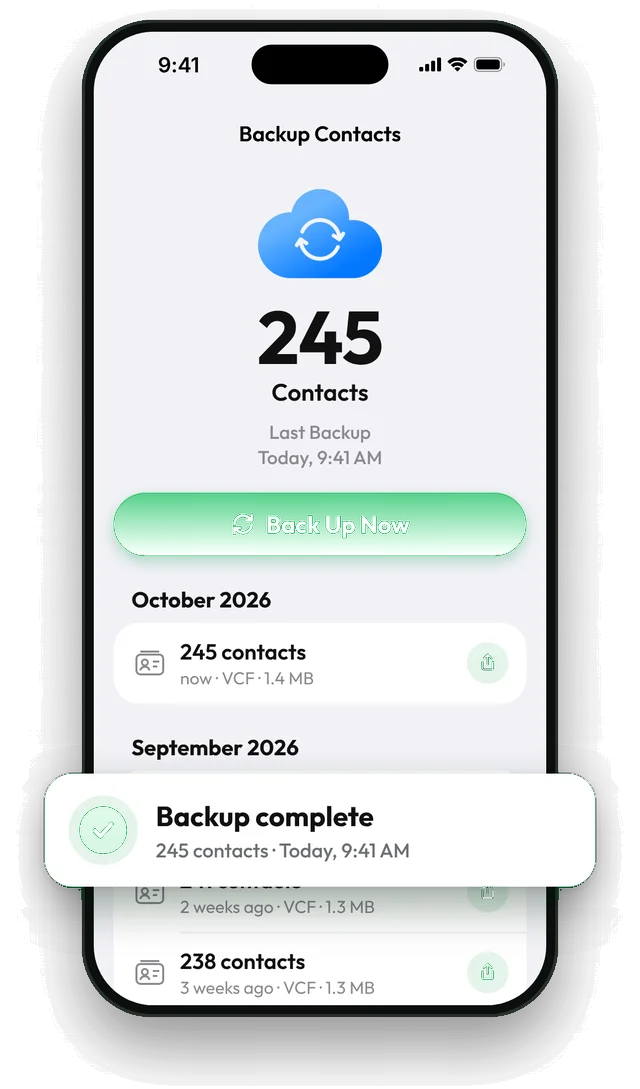
- Back up and restore: one-tap vCard backups to the app’s folder in your iCloud Drive, a Home tab that shows when the backup is out of date, reminders, and the Back Up Contacts action for Shortcuts automations. Restores add only missing contacts. How backups work
- Import from Excel, CSV and vCard with automatic column matching. Import contacts
- Duplicates: find by name, phone or email, delete or merge, undo with restore points. Merge duplicates
Where your files go
Exports are saved where you choose in the share menu (Files, iCloud Drive, Google Drive and so on). Backups appear in your iCloud Drive in the app’s own folder, so they are still there after you delete the app or move to a new iPhone.
Frequently asked questions
Does Contaxo work with iCloud, Gmail and Exchange contacts?
Yes. It reads every contact your iPhone shows in the Contacts app, whichever account it is stored in.
What if I gave Contaxo access to only some contacts?
Exports and backups then include only those contacts. To include everyone, open Settings › Access & Privacy in Contaxo and tap Allow Full Access, or go to the iPhone Settings app › Apps › Contaxo › Contacts and choose Full Access. Restoring a backup needs full access.
Can I back up my contacts automatically?
Yes. In the Shortcuts app, create a personal automation (for example every Sunday) and add the Back Up Contacts action from Contaxo. It runs without opening the app.
Does it work on iPad and Mac?
Yes. On iPad and other wide screens Contaxo uses a sidebar: All Contacts shows your whole address book as a table you can filter and export, and Backups, Import and Duplicates are one tap away. You can drag files in to import them and use keyboard shortcuts. Contaxo is also available for Mac from the App Store.
Related
- Export formatHow to export your contacts to ExcelTurn your iPhone, iPad or Android contacts into a real Excel (.xlsx) spreadsheet in a few taps, with a preview, column picker and filters. No computer needed.
- FeatureHow to back up and restore your contactsBack up every contact on your iPhone, iPad or Android phone in one tap, get reminders when the backup is out of date, and restore only what is missing.
- FeatureHow to import contacts from Excel, CSV or vCardAdd contacts to your iPhone, iPad or Android phone from an Excel, CSV or vCard file. Columns are matched for you and you choose who to add.
- FeatureHow to find and merge duplicate contactsFind duplicate contacts by name, phone number or email, then delete the copies or merge them into one contact, with a restore point and undo.
- PlatformContaxo for MacExport your Mac contacts to Excel, CSV, Word, PDF or vCard, edit the table for one file, print, back up, import from files and merge duplicates. macOS 14 or later.
- PlatformContaxo for AndroidExport Android contacts to Excel, PDF, CSV, Word and vCard, back them up with a copy to Google Drive, move them to a new phone with a QR code and merge duplicates.
Your contacts, in any file you need.
Free to download for iPhone, iPad, Mac and Android. No account, and we never see your contacts.