
Export format · iPhone, iPad, Mac & Android
How to export your contacts to a CSV file
Short answer
Phones export contacts only as vCard. To get a CSV file, open Contaxo, tap CSV, choose the columns and tap Export. The file is UTF-8 with a header row, so it works in Google Sheets, CRMs such as HubSpot, mailing tools such as Mailchimp, and mail merge.


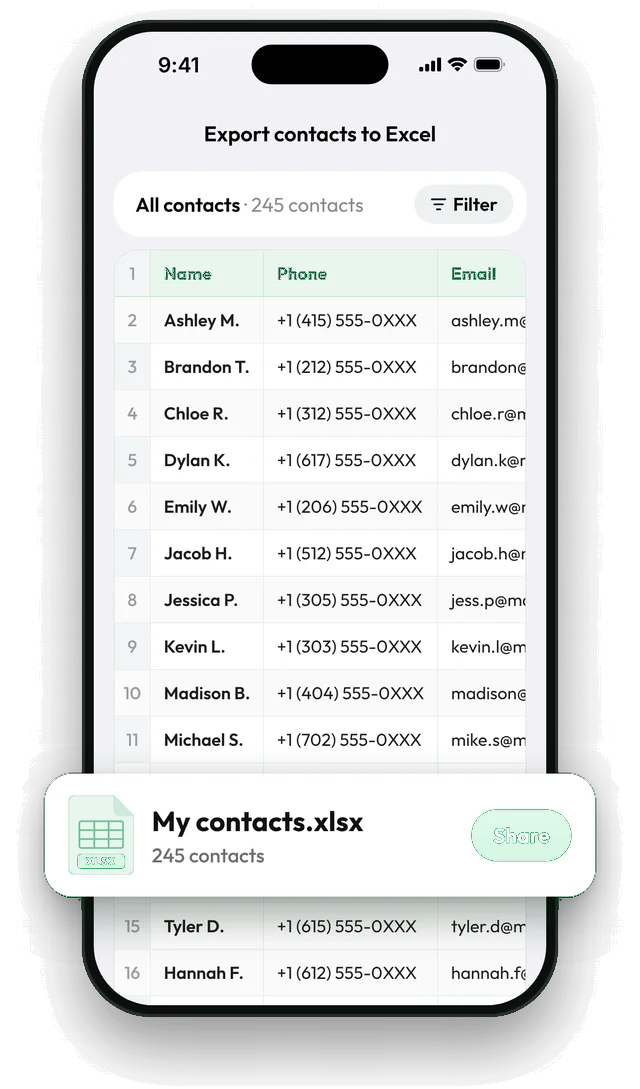
Step by step with Contaxo
Tap CSV
On the Home tab of Contaxo, tap CSV to see your contacts as a table.
Choose the columns
Keep the fields the tool you are importing into expects, such as first name, last name, email and phone.
Filter if needed
Export one group, or only contacts that have an email, which is useful for mailing lists.
Export
Tap Export and save the .csv file or send it to your computer.
When CSV is the right format
- Google Sheets and other spreadsheet tools.
- CRMs (HubSpot, Salesforce, Pipedrive) and mailing tools (Mailchimp, Brevo), which almost all import CSV.
- Mail merge for letters, labels and envelopes.
If a person will read the file, Excel or PDF is usually nicer. If a phone or address book will read it, use vCard.
The built-in way (without an app)
Only Google’s web app writes CSV. On a computer, open contacts.google.com, choose Export, then Google CSV (for Google) or Outlook CSV (for Outlook and most other tools). This covers only contacts saved in your Google account. iPhone contacts stored in iCloud must first be exported as a vCard and imported into Google Contacts.
Frequently asked questions
What kind of CSV does Contaxo create?
A standard UTF-8 CSV file with a header row, which Google Sheets, CRMs and mailing tools read directly.
Accents or non-Latin letters look wrong when I open the CSV in Excel
Excel sometimes guesses the wrong text encoding when you double-click a CSV. In Excel, use Data › From Text/CSV and choose UTF-8 (65001), or export to Excel (.xlsx) instead, which keeps every character.
Can I upload the CSV to Google Contacts or Outlook?
Yes, but for moving contacts between phones and address books a vCard file keeps more detail, such as photos and labels.
Can I bring a CSV back into my phone?
Yes. Contaxo can import contacts from CSV and matches the columns for you.
Related
- Export formatHow to export your contacts to ExcelTurn your iPhone, iPad or Android contacts into a real Excel (.xlsx) spreadsheet in a few taps, with a preview, column picker and filters. No computer needed.
- FeatureHow to import contacts from Excel, CSV or vCardAdd contacts to your iPhone, iPad or Android phone from an Excel, CSV or vCard file. Columns are matched for you and you choose who to add.
- Export formatHow to export your contacts to a vCard (VCF) fileSend many contacts at once as one vCard (.vcf) file by WhatsApp, Mail, Messages, AirDrop or Quick Share. The person who gets it adds everyone in one tap.
Your contacts, in any file you need.
Free to download for iPhone, iPad, Mac and Android. No account, and we never see your contacts.