
Guide · iPhone, iPad, Mac & Android
What is a VCF (vCard) file?
Short answer
A VCF file (vCard, .vcf) is the standard file format for contacts. One file can hold one contact or thousands, with names, phone numbers, emails, addresses, birthdays and photos. iPhone, Android, Mac, Outlook, Gmail and most CRMs can import it, which makes it the usual way to move or back up contacts.


How to open a VCF file
On iPhone or iPad
Tap the file in Mail, Messages, WhatsApp or Files. A preview opens; tap Add All Contacts (or Create New Contact for a single card).
On Android
Tap the file and open it with the Contacts app. Or, in Google Contacts, use Fix & manage › Import from file.
On a Mac
Double-click the file, or drag it onto the Contacts app, and confirm the import.
On Windows
Import it in Outlook, or upload it at contacts.google.com with Import. To read it as a table, see How to open a VCF file in Excel.
What is inside a VCF file
A vCard is a text file. Each contact sits between BEGIN:VCARD and END:VCARD, with one line per field, for example:
BEGIN:VCARD
VERSION:3.0
FN:Ashley Miller
TEL;TYPE=CELL:+1 555 0100
EMAIL:ashley@example.com
END:VCARD
A file can repeat this block for every contact, so one .vcf can carry your whole address book.
How to create a VCF file
- iPhone (iOS 17 or later): in Contacts, tap Lists, touch and hold a list such as All Contacts, then Export. To share one person, open the contact and tap Share Contact.
- Android: in Google Contacts, Fix & manage › Export to file; on Samsung, Manage contacts › Import or export contacts › Export.
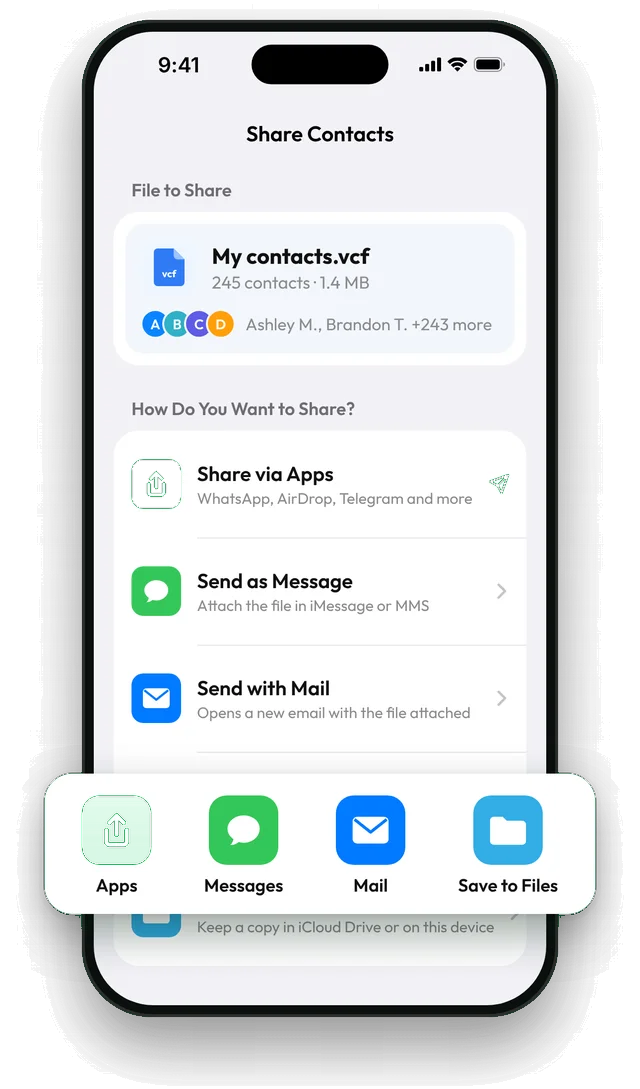
- Contaxo: Share Contacts makes a vCard of all contacts or a filtered group (a group, or only people with a phone number, email or company) and sends it to any app. Back Up Now saves everyone in a vCard for free. See Share contacts as a vCard and Back up contacts.
What you can do with a VCF file
- Move contacts to a new phone, including iPhone to Android and Android to iPhone.
- Keep a backup you control, outside iCloud or Google sync.
- Send a group of contacts, such as a team or a class list, that the other person adds in one tap.
- Import into a CRM or email tool, most of which accept vCard as well as CSV.
Frequently asked questions
Is a VCF file safe to open?
A vCard is plain text and contains no programs. The only thing to check is that you want those contacts added; on iPhone and Android you see them before anything is saved.
What's the difference between VCF and CSV?
A VCF is made for address books and keeps photos, labels and several numbers per person. A CSV is a table for spreadsheets, CRMs and mailing tools. Use vCard to move contacts between phones and CSV or Excel to work with them as a list.
Which vCard version should I use?
Version 3.0 is the safest choice: iPhone, Android, Google, Outlook and CRMs all read it. Very old phones may write version 2.1; version 4.0 is newer but not supported everywhere.
Why is my VCF file so large?
Contact photos are stored inside the file. A few hundred contacts with photos can make it several megabytes. In Contaxo you can turn off Include Photos in vCard to make files smaller.
Outlook imported only one contact from my file
Some versions of Outlook import only the first card from a file that holds many contacts. Import the file at contacts.google.com or outlook.com instead, or use a CSV file.
Related
- Export formatHow to export your contacts to a vCard (VCF) fileSend many contacts at once as one vCard (.vcf) file by WhatsApp, Mail, Messages, AirDrop or Quick Share. The person who gets it adds everyone in one tap.
- GuideHow to open a VCF file in ExcelExcel can't read a vCard (.vcf) file as a table. Turn it into a spreadsheet for free with Google Contacts on a computer, or on your phone with Contaxo.
- FeatureHow to back up and restore your contactsBack up every contact on your iPhone, iPad or Android phone in one tap, get reminders when the backup is out of date, and restore only what is missing.
- FeatureHow to import contacts from Excel, CSV or vCardAdd contacts to your iPhone, iPad or Android phone from an Excel, CSV or vCard file. Columns are matched for you and you choose who to add.
Your contacts, in any file you need.
Free to download for iPhone, iPad, Mac and Android. No account, and we never see your contacts.