
Guide · iPhone, iPad, Mac & Android
How to open a VCF file in Excel
Short answer
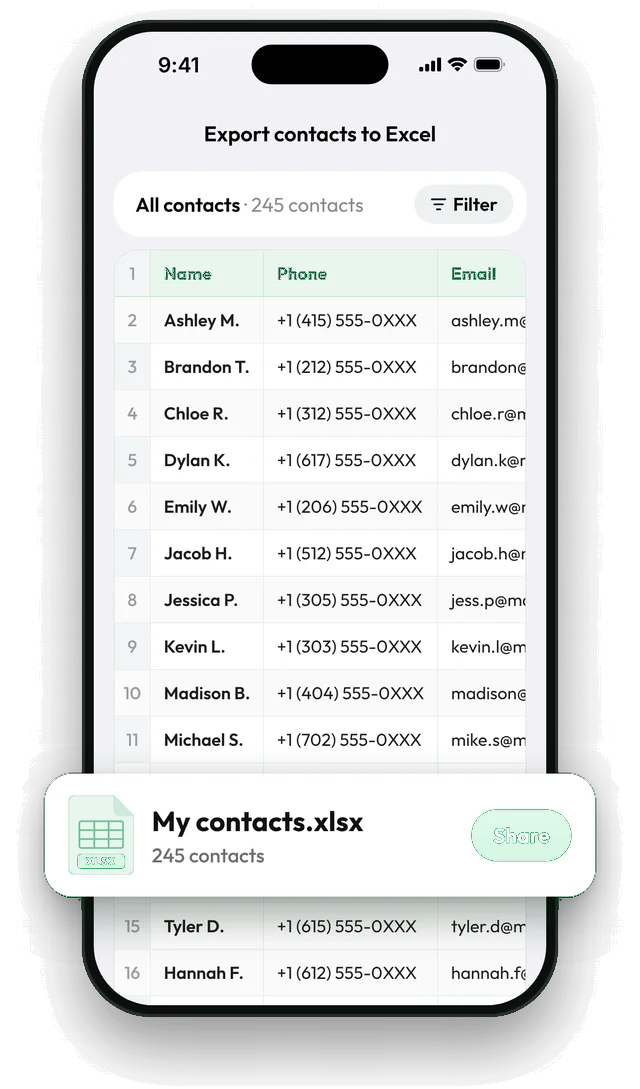
Excel can't open a .vcf file as a table; it shows lines of text such as BEGIN:VCARD. To get a spreadsheet, import the file into Google Contacts on a computer and export it as Google CSV, which Excel opens. If the contacts are on your phone, skip the vCard: in Contaxo, tap Excel and export a real .xlsx file directly.


Convert a VCF to Excel with Google Contacts
Import the vCard
On a computer, open contacts.google.com, click Import and choose the .vcf file. Google adds the contacts and gives them a label with today's date.
Select the imported contacts
Click that new label in the menu on the left so only the imported contacts are shown.
Export as Google CSV
Click Export, choose Google CSV and click Export.
Open the CSV in Excel
Open contacts.csv in Excel. If letters look wrong, use Data › From Text/CSV with 65001: Unicode (UTF-8). Delete the label in Google Contacts afterwards if you don't want to keep the contacts there.
If the contacts are already on your phone
You don’t need a vCard at all. Phones only export vCards, which is why many people end up with one, but Contaxo makes the spreadsheet directly:
- Open Contaxo and tap Excel.
- Check the preview: one row per contact, with every phone number and email.
- Choose the columns and tap Export.
You get a .xlsx file that opens in Excel, Numbers, Google Sheets and LibreOffice. See Export contacts to Excel.
What a VCF looks like inside
A .vcf file is plain text. Each contact starts with BEGIN:VCARD and ends with END:VCARD, with lines such as FN: for the name and TEL: for a phone number in between. That is what you see when Excel or a text editor opens it. Read more in What is a VCF file?
Avoid these
- Renaming .vcf to .csv doesn’t convert anything; Excel still shows the raw lines.
- Online converters mean uploading your whole address book to a site you don’t know. Google Contacts or Contaxo keep the job inside services you already use.
Frequently asked questions
Why can't Excel open a VCF file?
A vCard stores each contact as a block of text lines, one field per line, with a different number of lines for each person. Excel expects one row per record, so it can't turn a vCard into columns by itself.
The VCF is from someone else. Can I convert it on my phone?
Yes. Add the contacts to your phone first (on iPhone, tap the file and Add All Contacts; on Android, open it with the Contacts app or import it in Contaxo), then export them to Excel with Contaxo.
Will photos be in the spreadsheet?
No. Spreadsheets hold text, so photos are left out. Keep the vCard as well if you need the photos.
Is there a way without a Google account?
Yes: add the contacts to your phone and export them to Excel with Contaxo, or ask the sender for an Excel or CSV file instead.
Related
- Export formatHow to export your contacts to ExcelTurn your iPhone, iPad or Android contacts into a real Excel (.xlsx) spreadsheet in a few taps, with a preview, column picker and filters. No computer needed.
- GuideWhat is a VCF (vCard) file?A VCF or vCard file is the standard file format for contacts. What it contains, how to open it on iPhone, Android, Mac and Windows, and how to make one.
- FeatureHow to import contacts from Excel, CSV or vCardAdd contacts to your iPhone, iPad or Android phone from an Excel, CSV or vCard file. Columns are matched for you and you choose who to add.
- GuideHow to export Google Contacts to ExcelExport your Google or Gmail contacts to Excel: as a Google CSV from contacts.google.com on a computer, or as a ready .xlsx file from your Android phone or iPhone with Contaxo.
Your contacts, in any file you need.
Free to download for iPhone, iPad, Mac and Android. No account, and we never see your contacts.