
Guide · iPhone, iPad & Mac
How to back up your iPhone contacts automatically
Short answer
In the Shortcuts app, create an automation with Time of Day, set it to repeat Weekly and choose Run Immediately. Add Contaxo's Back Up Contacts action. Every week your contacts are saved as a vCard file in iCloud Drive, without opening Contaxo. Backups in Contaxo are free.

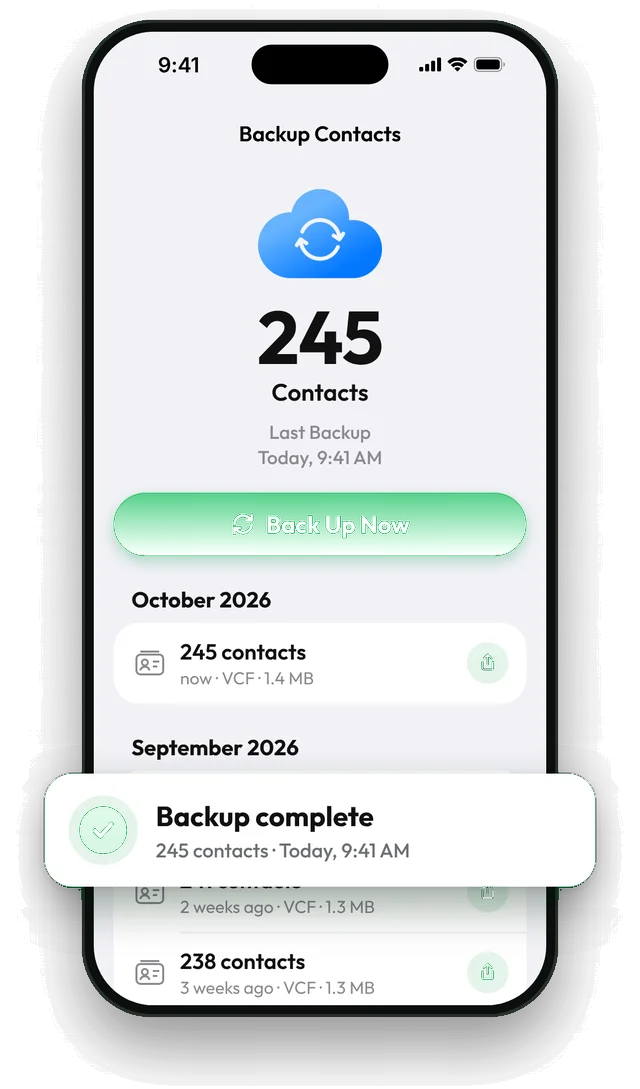
Create a weekly backup automation
Open Shortcuts › Automation
Open the Shortcuts app, tap Automation at the bottom, then + (or New Automation).
Choose Time of Day
Tap Time of Day, pick a time such as Sunday 9:00, choose Weekly and the day, then select Run Immediately so it doesn't ask you each time. Tap Next.
Add Back Up Contacts
Tap New Blank Automation or Add Action, search for Contaxo and choose Back Up Contacts. Tap Done.
Check it ran
After the first run, open Contaxo: the Home tab shows when you last backed up.
Why automate it
Most people back up once and forget. Contacts get deleted by accident, overwritten by a bad sync or merged wrongly, and the change reaches every device. A weekly file means you can always go back at most a week. With Contaxo, a restore adds back only the missing contacts, so you can use an older backup without creating duplicates.
Tips
- Pick a time your phone is usually charging and online, such as Sunday morning.
- Keep a copy off the phone from time to time: in Contaxo, tap Share backup and save it to Google Drive or your computer. Your first share is free.
- Turn on reminders in Settings › Backup Settings as a safety net in case an automation doesn’t run.
On a Mac
Contaxo for Mac backs up your Mac’s contacts with one click, and backups made on your iPhone in iCloud Drive appear on the Mac too. See Contaxo for Mac.
Frequently asked questions
Where are the automatic backups saved?
In the same place as Back Up Now: your iCloud Drive, or on the iPhone if iCloud Drive is off. You can share any backup to Google Drive, Mail or AirDrop.
How do I know the automation worked?
Open Contaxo: the Home tab shows when you last backed up and how many contacts changed since. iOS also shows a notification when an automation runs.
Can I back up only when my contacts changed?
Contaxo's backup reminders can be set to weekly, every 2 weeks, monthly or only when contacts changed (Settings › Backup Settings). The automation itself runs on the schedule you set.
Is there an automatic backup on Android?
On Android, add the Back Up Contacts shortcut to your home screen for one-tap backups, and turn on backup reminders in Contaxo's settings.
Does a backup replace iCloud sync?
No, it complements it. Sync keeps your devices the same; a backup is a copy from a point in time that you can return to after a deletion or a bad sync.
Related
- FeatureHow to back up and restore your contactsBack up every contact on your iPhone, iPad or Android phone in one tap, get reminders when the backup is out of date, and restore only what is missing.
- GuideHow to restore deleted contacts on iPhone and AndroidGet deleted contacts back: from iCloud.com Data Recovery, Google Contacts Trash or Undo changes, Samsung's Trash, or a Contaxo backup that adds back only what is missing.
- GuideHow to back up your iPhone contacts without iCloudKeep a copy of your iPhone contacts that doesn't depend on iCloud: a vCard file in Files, Google Drive, email or on your computer. Built-in way and the Contaxo way.
- PlatformContaxo for iPhone, iPad and MacExport iPhone contacts to Excel, PDF, CSV, Word and vCard, back them up to iCloud Drive, move them to a new phone with a QR code, import from files and merge duplicates.
Your contacts, in any file you need.
Free to download for iPhone, iPad, Mac and Android. No account, and we never see your contacts.